
Master Customer Service Response Time: 2026 Tips
Your inbox is open. A customer wants a quote on 144 embroidered trucker caps. Another asks if Richardson stock is available in two colors. The phone rings because someone needs a rush reorder before an event. While you're answering that, a website form comes in with a logo upload and almost no details.
That's a normal day for a small B2B shop.
When people talk about customer service response time, they usually flatten all of that into one average. That sounds neat on a dashboard, but it hides what actually matters. A buyer waiting on a phone answer about stock feels delay differently than a customer waiting on an email proof. And for custom orders, a fast but empty reply can create more work than a slightly slower reply that actually moves the job forward.
Why Your Customer Service Response Time Matters
In wholesale and custom apparel, silence feels expensive. If a buyer is ordering hats for a staff launch, fundraiser, school program, or merch drop, they're not just asking a casual question. They're trying to solve a deadline problem.
A slow reply tells them two things. First, you might be hard to work with. Second, production might be just as slow or disorganized. That impression starts before you've even quoted the job.
Modern customer expectations are tight. 90% of customers say an “immediate” response is essential when they have a question, according to LTVplus customer service statistics for 2025. That doesn't mean every issue must be solved instantly. It means customers want to know you saw them and that someone is taking ownership.
Fast response is the minimum. Buyers notice slow response more than they celebrate fast response.
For a small team, that matters because you're competing against companies with bigger support desks, longer hours, and more automation. You probably can't out-staff them. You can still beat them on clarity, triage, and discipline.
I've seen the same pattern in small B2B operations. The biggest damage rarely comes from one terrible support miss. It comes from ten small delays spread across email, phone, and forms. One person follows up twice. Another moves to a competitor. A third decides your team is too busy to trust with a custom order.
If lead inquiries are sitting too long, this practical guide on addressing slow lead response issues is worth reading because it focuses on the operational causes, not just the symptom.
In custom orders, speed signals reliability
A blank hat reorder and a new embroidery quote should not sit in the same mental bucket. One is often a stock and timing question. The other may need logo review, stitch count discussion, and proofing. Customers understand that difference if you communicate it well.
That's why customer service response time matters beyond support. It affects conversion, trust, and whether the customer feels heard.
The real question isn't just how fast
Averages can make you feel better than your customers do.
If you answer one message in minutes and another in half a day, your average may look acceptable. The customer who needed a quick stock check won't care. They only experienced the wait on their channel, for their issue, at that moment.
Understanding First Response Time
First response time, or FRT, is the most useful starting metric because it measures the gap between a customer reaching out and your first meaningful reply. Zendesk defines it operationally and notes that it's calculated by summing all first-reply intervals over a period and dividing by the number of first responses in that period, in its guide to customer service metrics that matter.
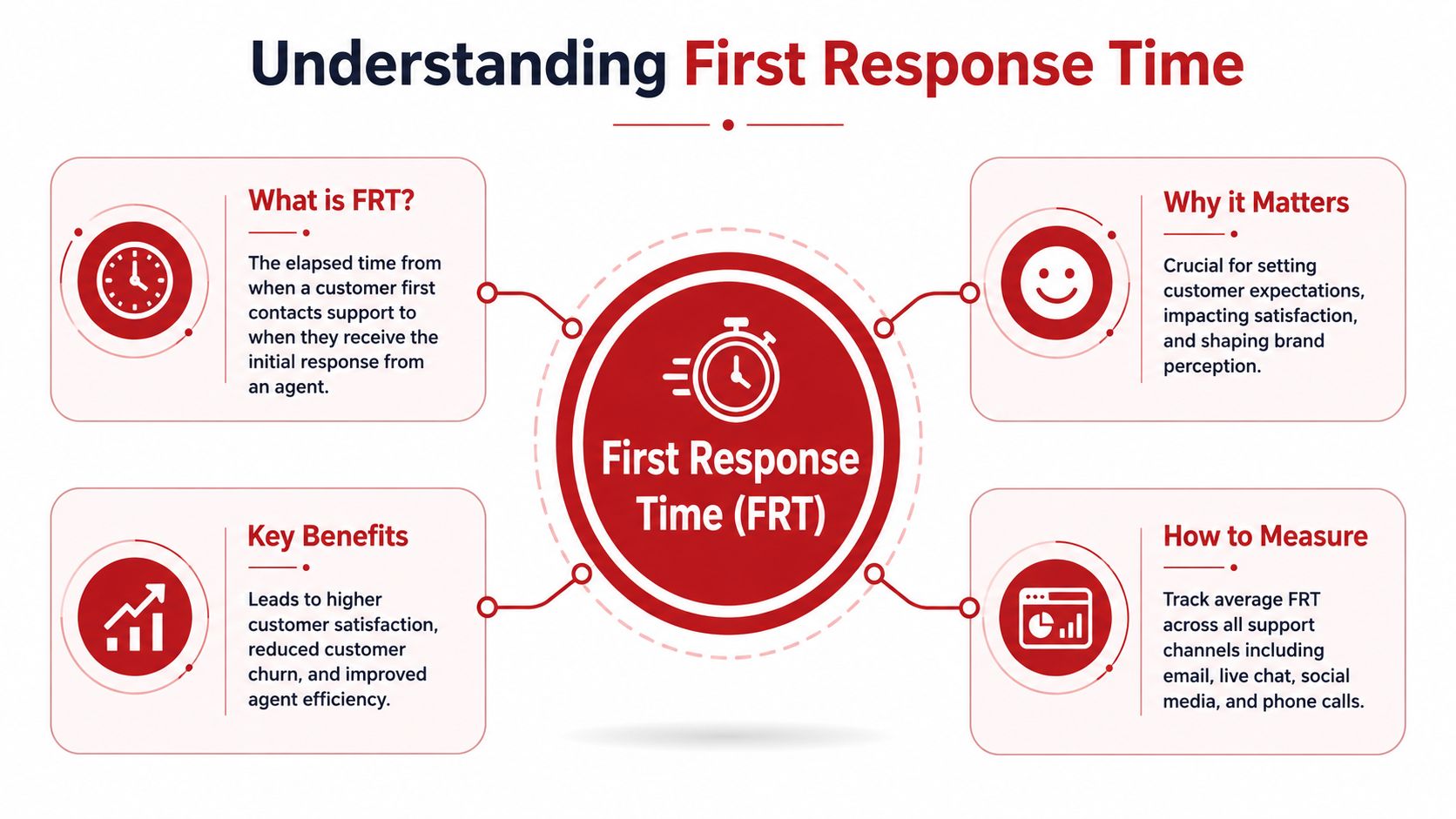
Think of FRT like the host stand
FRT is the host greeting you at a restaurant. It is not the meal arriving.
That distinction matters. In a hat embroidery business, a customer might submit a logo and ask for pricing, stitch guidance, and turnaround. You may not be able to answer every part of that in the first message. You can still acknowledge the request, confirm you received the file, flag any missing info, and tell them what happens next.
That first helpful touch lowers uncertainty.
What counts as a meaningful first reply
A real first response should move the conversation forward. It should do at least one of these things:
- Confirm receipt clearly by naming what came in, such as the logo file, item request, or quantity.
- Set the next step so the customer knows whether they should expect a proof, stock check, or quote.
- Ask for missing details like cap style, thread colors, in-hands date, or logo format.
- Route urgency properly if the issue belongs on phone or chat rather than email.
A weak acknowledgment often creates another email. A stronger first reply removes one.
Practical rule: A first response should reduce confusion, not just stop the clock.
Why teams get this wrong
Small teams often chase speed with generic auto-replies and call it solved. That helps a little, but not enough. The bigger gains usually come from process. Zendesk's guidance points to routing automation, canned responses, and SLA alerts as the operational levers that improve FRT, rather than hiring more agents.
That lines up with real-world support. Most delays come from avoidable friction. The message lands in the wrong inbox. Nobody knows who owns it. The rep has to ask for details that should've been captured in the form. The customer follows up on another channel, which creates more context switching.
FRT is not resolution time
A customer asking, “Can you embroider this low-resolution logo on 5-panel rope hats by next Friday?” needs more than a hello. But they don't need silence while your team works through every production detail.
Good service separates the first reply from the full answer. Great service makes the first reply useful enough that the customer feels progress right away.
How to Measure Your Current Response Time
You don't need a full help desk stack to get a baseline. If you have Gmail, Outlook, or any inbox that shows timestamps, you can measure your current customer service response time this week.
Start with one channel first
Pick the channel that drives the most real buying activity. For many small B2B companies, that's email or website contact forms.
Don't mix phone, chat, email, and social on day one. That's how measurement gets abandoned. Start with one queue where your team already works every day.
A simple manual method
Use a spreadsheet with five columns:
| What to track | What goes in the sheet |
|---|---|
| Inquiry received | Date and time the message arrived |
| First reply sent | Date and time of the first meaningful response |
| Channel | Email, form, phone callback, or chat |
| Topic | Quote, stock check, artwork, reorder, shipping issue |
| Notes | Missing info, urgency, or handoff |
Then calculate the elapsed time between receipt and first reply for each conversation. After that, average those times for the period you're reviewing.
This doesn't need to be perfect. It needs to be honest.
What to include and exclude
The biggest mistake is counting every message thread the same way.
Use these ground rules:
- Count new inbound inquiries that require a first response from your team.
- Separate auto-replies from meaningful replies if the auto-reply doesn't answer anything useful.
- Exclude internal forwards between team members.
- Tag after-hours messages so you can see whether your delay came from staffing coverage or in-day workflow.
If a customer emails at night and your business replies the next morning, that's useful context. The point isn't to make the number look better. The point is to understand where delay happens.
Look for pattern, not perfection
After one week, sort your sheet by topic and channel. You'll usually notice the problem quickly.
Maybe stock questions sit because only one person knows inventory. Maybe quote requests bounce between sales and production. Maybe website forms arrive with no stitch location, no quantity, and no deadline, so every “response” starts with more questions.
If you can't see the bottleneck in your inbox, break the data by channel and issue type. The average alone won't tell you much.
Basic tools can automate this later
Once you know what you're measuring, even lightweight systems can help. Shared inbox tools, simple help desks, and some email platforms can timestamp first replies and tag tickets by category. That's useful, but only after you've agreed on what a good first response is.
For a small operation, the spreadsheet phase is not a step backward. It's how you learn what deserves automation.
Response Time Benchmarks by Channel
One average response target doesn't work across channels. A customer waiting on live chat is judging you in seconds. A customer asking for a detailed quote by email gives you more room, but not infinite room.
Qualtrics recommends instant replies for live chat and messaging, under 60 minutes for social media, and 24 hours or less for email or online forms in its guide to service metrics and response expectations. The same page notes Grow's reported average live-chat first response time benchmark of 1 minute 36 seconds across industries.
Customer Service Response Time Benchmarks 2026
| Channel | Customer Expectation | Good Target for a Small Business |
|---|---|---|
| Live chat or messaging | Instant reply is the standard expectation | Acknowledge immediately or use a clear instant message that routes next steps |
| Social media | Under 60 minutes | Reply within the hour during business hours |
| Email or online form | 24 hours or less | Same business day for simple questions, next business day at the latest for more complex ones |
| Phone | Customers expect a quick pickup or callback | If you miss the call, return it promptly and move urgent order questions here when email gets too slow |
Why the same delay feels different by channel
A four-hour email response for a proofing question can be fine if the reply is detailed. A two-minute stall in live chat feels broken. Phone is similar. If someone is calling to check stock before placing a bulk order, they're usually trying to make a decision right now.
That's why blended averages can mislead a small B2B team. You can hit a decent overall number while still disappointing buyers on the channels where urgency is highest.
What this looks like in a wholesale apparel workflow
Use channel rules that match the job:
- Phone for immediate buying friction such as stock checks, reorder urgency, address corrections, and event deadlines.
- Email for layered questions like pricing, proofs, logo review, and decoration options.
- Forms for clean intake when you need logos, quantities, preferred styles, and target in-hands dates before quoting.
- Social as a redirect channel when the question needs account details, artwork review, or production context.
A lot of confusion disappears when you tell customers which channel gets which kind of answer fastest. If you handle custom decorated orders, this explanation of hat embroidery turnaround time is the kind of resource that helps customers understand why some answers are instant and others need production review.
Benchmarks are useful, but channel policy matters more
Small teams don't need to match enterprise staffing. They need a realistic promise for each channel and a system for honoring it.
That usually means not treating every message equally. A live chat asking, “Can you ship blank snapbacks this week?” should jump the line ahead of a long email thread about alternate thread colors on a proof revision.
Four Ways to Improve Response Time Without Burning Out
The fastest way to wreck a small support team is to demand instant replies everywhere, all day, with no process. Burnout usually comes from chaos, not just volume.
The fix is to remove preventable delay.

Teledirect notes that inbound leads are expected to be answered within 5 minutes or less, while 41% of consumers expect email replies within 6 hours, in its discussion of how response times affect loyalty and revenue. That gap is exactly why you can't manage all channels with one rule.
Use canned replies, but make them useful
Templates save time only if they answer the actual question.
A weak canned response says, “Thanks for reaching out. We'll get back to you soon.” A stronger one says, “Thanks for sending your logo. We've received it. Please reply with hat style, quantity, and needed-by date if you haven't already, and we'll review stock and quoting next.”
Good templates for an apparel business usually cover:
- Quote requests with prompts for quantity, style, logo placement, and deadline
- Stock checks with a quick path to substitute colors or similar styles
- Artwork issues that explain why a vector file may be needed
- Turnaround questions that clarify proofing, production, and shipping are separate steps
Triage by business impact, not inbox order
Oldest message first sounds fair. It's often the wrong system.
Sort incoming requests by urgency and value. If one buyer is ready to place a wholesale reorder and another is asking a broad question with missing details, don't pretend those belong in the same queue.
A simple triage setup works:
- Urgent and order-blocking such as stock availability, address changes, or deadline-sensitive reorders
- Sales-ready such as quote requests with complete quantities and art files
- Needs-info such as vague form submissions missing style, count, or logo details
- Low urgency like gallery requests, general catalog browsing, or non-time-sensitive questions
Forms help. Dirt Cheap Headwear offers a wholesale custom hats fast turnaround page that gives buyers a clearer starting point before they ask production-timing questions by email. That's not a support trick. It's intake hygiene.
The team that answers fastest isn't always the one typing fastest. It's the one that decides fastest what deserves attention now.
Set expectations with auto-replies that sound human
Auto-replies should buy your team time without creating false confidence.
Include three things:
- Confirmation that the message was received.
- The response window for that channel during business hours.
- A prompt for any missing details that commonly slow quoting or production review.
For example, a useful auto-reply for embroidery inquiries might ask for quantity, cap style, in-hands date, and logo file type. That shortens the back-and-forth before a rep ever touches the thread.
Improve the first reply with better AI and better prompts
AI can help with first drafts, summaries, and routing. It can also create polished nonsense if you let it answer without enough context.
If your team is using AI for customer messages, this guidance on AI response quality is useful because it focuses on making replies clearer and more accurate, not just faster. For small teams, that's the right standard.
Use AI for narrow jobs first:
- Drafting replies to common stock, turnaround, and file-format questions
- Summarizing threads before a handoff between sales and production
- Flagging urgency when a message includes a firm event date or reorder risk
Don't use it as a replacement for judgment on artwork, deadlines, or production feasibility.
Aim for a Fast Solution Not Just a Fast Reply
A fast first response helps. A fast useless response annoys people.
This is the part many teams miss when they obsess over customer service response time. They celebrate the quick acknowledgment and ignore whether the message helped the buyer move toward an order, a proof approval, or a fix.

Ringly reports that the 2025 average email response time is about 12 hours 10 minutes, even though 89% of customers expect an email reply within 1 hour, in its 2026 response time statistics summary. That gap creates room for small businesses to stand out, but only if the reply has substance.
Compare these two first replies
The weak version:
“Thanks for contacting us. We got your email and will respond shortly.”
The stronger version:
“We received your logo and quantity request for embroidered trucker hats. The file looks usable for review, but we still need your preferred cap style, thread colors, and in-hands date to confirm pricing and production timing.”
The second one may take an extra minute to send. It saves much more than a minute later.
What a first helpful response should do
For custom-order businesses, the best first reply often includes a mix of speed and direction:
- Acknowledge the actual request so the customer knows you read it
- Name the missing piece if anything is blocking the next step
- Set the path forward such as quote review, proof creation, stock check, or shipping confirmation
- Move the customer to a faster channel when the issue is urgent
That last point matters. If somebody is emailing back and forth about arrival timing, it may be smarter to move them to phone and point them to your shipping policy details once the immediate issue is handled.
Speed still matters. Accuracy matters more.
For B2B buyers, a slightly slower but more complete answer often feels faster overall because it avoids another round of clarification.
That's the standard worth chasing. Not the first reply that stops the timer. The first reply that lowers effort for the customer.
If you need blank or custom headwear and want a straightforward ordering process, Dirt Cheap Headwear offers wholesale hats, in-house embroidery, low minimums, and business-hours support for quote requests, logo uploads, stock questions, and reorders.
Pingback: Chargeback Prevention: Boost POD Profits in 2026
Pingback: Satisfaction Assurance for Wholesale Headwear Buyers | Dirt Cheap Headwear