
Buying an Embroidery Machine for Logos? Read This First
You're probably here because the math looked simple at first.
You need branded hats, polos, or staff gear. You've priced a few outside embroidery quotes. Then you looked at a machine and thought, “If I buy one, I can keep this in-house and save money.” That instinct isn't wrong. Plenty of shops start that way.
What gets people in trouble is assuming the machine is the whole business. It isn't. An embroidery machine for logos is only one part of the job. The rest is digitizing, hooping, thread management, cap setup, test stitching, maintenance, and fixing ugly sew-outs when a design that looked fine on a screen goes sideways on a curved hat front.
So You Want to Embroider Your Own Logos
The usual buying advice starts with specs. Bigger field. More needles. Faster stitching. Those things matter, but they don't answer the key question.
If your main product is hats, logo embroidery is a workflow problem before it's a machine problem. Buyer guides often miss that. Brother's professional guidance puts the focus on whether a machine can stitch cleanly across fabrics like polos and caps without constant adjustment, which is exactly what matters when you need repeatable hat production and quick turnarounds for small runs or reorders (Brother's logo embroidery guide).
Hats expose every weakness
A flat left-chest logo is forgiving compared with a cap. Hats introduce curve, seam bulk, crown structure, and limited working area. A machine that looks perfect on paper can still be annoying in daily production if the cap frame setup is clumsy or the machine needs babysitting every few pieces.
That's why I'd separate buyers into two groups:
- You want to learn embroidery as a core skill. You're willing to spend time on setup, sew-outs, software, and mistakes.
- You want branded products shipped reliably. You care more about finished hats than owning the production equipment.
Those are different goals, and they lead to different decisions.
A home combo machine can be useful, but know what it is
If you're still in the testing phase, a smaller machine can help you learn the basics of hooping, stabilization, and file transfer before you jump into commercial production. Something like The Fabric Company's Singer SE9180 makes sense for sampling, personal projects, and getting your hands around the process.
It does not automatically make sense for a business that expects consistent hat logos, rush reorders, and multi-color production.
Practical rule: Buy a machine because you want to run an embroidery operation. Don't buy one just because you want embroidered hats.
That distinction saves people a lot of money and frustration.
Hobby vs Commercial Embroidery Machines
A hobby machine and a commercial machine both put thread into fabric. That's where the similarity ends.
The easiest comparison is this: a hobby machine is like a family sedan. It'll get you there, and for occasional use it's fine. A commercial machine is a cargo van. It's built for repeated work, heavier use, and fewer interruptions when the day gets busy.
What separates them in real life
Commercial logo work gets faster when the machine can hold multiple colors at once. Multi-needle commercial machines typically use 6 to 18 needles, which lets you pre-thread logo colors and avoid stopping for constant manual changes. The same commercial category is also much faster, with machines reaching about 1,200 to 1,500 stitches per minute, while advanced prosumer models often top out around 860 SPM (Embroidery Legacy's machine comparison).
That speed gap matters less on one sample. It matters a lot when you're doing repeat logos, team orders, or hat runs with multiple color changes.
| Feature | Hobby / Prosumer | Single-Head Commercial | Multi-Head Commercial |
|---|---|---|---|
| Primary use | Learning, samples, occasional jobs | Production for a small shop | Repeated large-volume production |
| Needle setup | Often fewer needles or more manual thread handling | Multi-needle setup built for faster color changes | Multiple heads repeating the same job at once |
| Speed feel | Slower workflow, more operator interruption | Better throughput for daily orders | Built for scale and repeatability |
| Best for | Testing ideas, low-volume personalization | Startups taking logo work seriously | Established shops with steady larger orders |
| Hat workflow | Can be limiting | Usually the practical entry point | Efficient when volume is already there |
What hobby buyers underestimate
A cheaper machine can cost more if it turns every order into a slow-motion problem. The machine itself may work fine. The issue is all the extra handling around it.
You stop to change thread. You rerun pieces. You fight registration on denser logos. You spend time coaxing a hat to stitch cleanly instead of just producing.
Commercial equipment isn't “better” because it's bigger. It's better because it removes friction from repeated work.
That's the part most first-time buyers miss. If your plan is steady logo orders, especially on headwear, commercial features aren't luxury features. They're labor-saving features.
Single-Head vs Multi-Head Production Power
A founder buys a multi-head because it looks like real production equipment. Six months later, two heads sit idle, the cap frames only come out for occasional runs, and the machine payment still hits every month.
That happens a lot.
For a startup doing logo work, the crucial question is not which machine looks more serious. It is which machine matches how orders arrive. Mixed jobs, art revisions, one-off replacements, and short hat runs usually point to a single-head. Repeated uniform programs and steady bulk orders are what justify multiple heads.
Single-head is slower, but usually cheaper to run correctly
A single-head machine gives up raw output. It also gives you more control, lower upfront risk, and less waste while you learn. That matters more than spec-sheet production if your week includes six caps for one client, twelve polos for another, then a sample sew-out because the logo is pulling on a structured hat.
That flexibility is worth money. You can stop after one bad sew-out. You can adjust backing, density, or cap driver setup before ruining a full run. You can switch from flats to hats without tying up several heads on a job that was not stable in the first place.
For a young shop, that is usually the smarter kind of efficiency.
Multi-head pays when the work is repetitive enough to keep it fed
Multi-head machines make money on sameness. Same logo, same garment, same placement, same thread sequence, over and over. School apparel, company uniforms, tournament hats, and program orders fit that model.
The catch is operational overhead. More heads mean more points of failure, more maintenance, more time spent making sure every head is tracking cleanly, and more spoiled goods when something goes wrong. One thread break on a single-head wastes one piece. A setup mistake on a multi-head can turn into a stack of rejects before an inexperienced operator catches it.
That trade-off gets ignored in a lot of buyer advice.
Hats make the decision harsher
Caps are where many startups learn this lesson the hard way. Hat embroidery is less forgiving than flats. Hooping has to be right. The design has to be digitized for caps, not just converted from a left-chest file and hoped for the best. Push and pull show up fast, especially on structured fronts and dense small lettering.
On a multi-head hat run, one weak setup gets multiplied. On a single-head, you catch problems sooner and fix them with less damage.
If hats are a major part of your plan, I would rather see a startup run one good single-head well than buy extra heads before they can consistently produce a clean cap.
Use this rule of thumb
- Choose single-head if your order mix is varied, your logo files still need testing, or you are building demand.
- Choose multi-head if you already have repeat customers ordering the same decorated items in batches large enough to keep the machine busy.
- Outsource for now if embroidery is still an add-on to your business and you do not want to spend time on machine setup, cap troubleshooting, maintenance, and operator training.
Buying too much machine too early is common. So is buying too little machine for a stable uniform program. The right answer depends less on ambition and more on whether you need flexibility or repetition every week.
Key Specs That Matter for Logos
A lot of first-time buyers get stuck on headline specs and miss the ones that affect daily production. I have seen shops buy a machine with a big stitch area and high top speed, then fight it on every cap order because the cap system, file handling, or thread changes slow the whole job down.
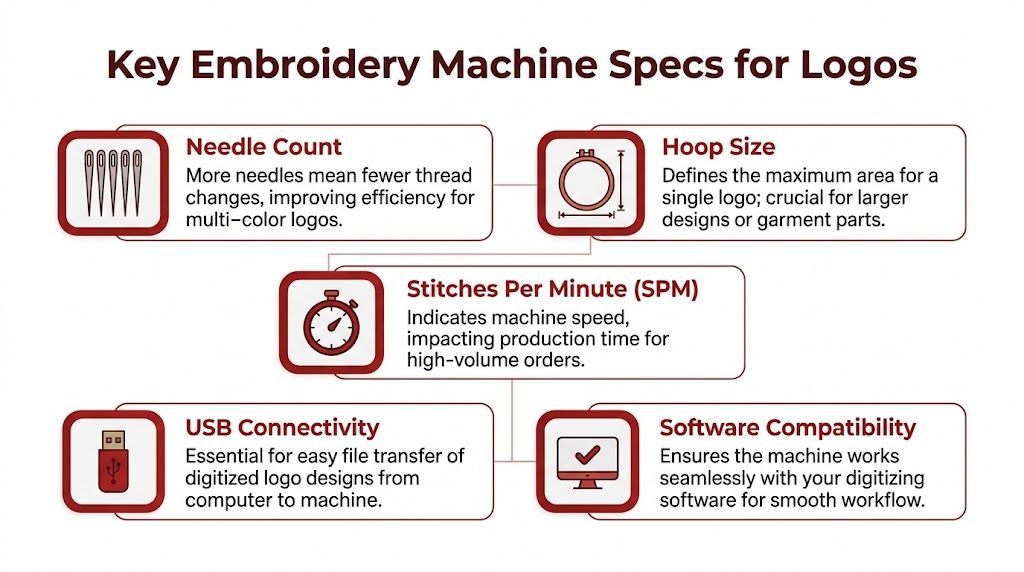
For logo work, especially paid logo work, I would check five things first. Needle count, real-world speed, usable sewing area, cap setup, and how the machine handles files from your digitizing process.
Needle count matters because stoppages cost time
More needles do not automatically make a machine better. They do reduce thread changes, manual rethreading, and color swaps on common company logos. That matters once you start running left-chest uniforms, polos, and hats with several brand colors.
For a startup, a machine in the 10 to 15 needle range usually makes sense if logo embroidery is going to be a real line of business. A lower needle count can still work, but every extra color change adds operator time, and operator time is part of your cost whether you account for it or not.
Speed matters too, but only after stability. A machine that runs cleanly at a moderate production speed is worth more than one that advertises a high top speed but needs frequent babysitting on dense fills, small lettering, or cap seams.
Usable stitch field beats advertised hoop size
Buyers often get fooled because the hoop size on the brochure is not the same as comfortable, repeatable logo space on an actual garment or hat.
For chest logos, the design size is usually limited by what looks right on the shirt, not by the largest hoop you can attach. For hats, the usable area gets tighter fast, especially on structured caps with center seams. If the design crowds that area, you end up simplifying the art, changing stitch angles, or running extra samples to keep the logo from sewing heavy and distorted. If you need a refresher on how the file itself affects that result, this guide on how to digitize a logo for embroidery lays out the basics well.
Cap compatibility is a real production issue
A machine being "cap capable" does not tell you much by itself. Ask what cap frame system comes with it, how easy it is to load consistently, and whether the sewing arm gives you enough clearance for the hat styles you plan to sell.
Caps expose weak setups quickly. Small text, curved baselines, and dense front panels leave less room for sloppy hooping or bad registration. If hats are central to your business model, I would rank cap performance above a large flat field every time.
File workflow and support save more time than flashy features
Check how designs get into the machine. USB import is common, but file compatibility, screen controls, network options, and error handling make a difference once orders start stacking up. A machine that accepts your files easily and lets you make simple on-machine adjustments saves time every week.
Service access matters just as much. So does maintenance. Tension issues, needle strikes, trim problems, and lubrication are part of ownership. You are not only buying a machine. You are buying the routine that comes with it, along with consumables such as backing, needles, and thread, including essential quilting thread supplies if you are testing colors and materials across different jobs.
What to check before you buy
- Needle count for your actual logo mix: Count the colors in the jobs you expect to run every week.
- Stable operating speed: Ask what speed the machine holds on normal logo work, not its advertised maximum.
- Real sewing area: Verify the usable field for left chest, jacket back, and cap fronts.
- Cap system quality: Test the cap frame, loading process, and stitch quality on a structured hat.
- File handling: Confirm the machine reads the formats your digitizer or software exports without extra steps.
- Service and maintenance access: Ask who handles repairs, what parts wear out most often, and how long downtime usually lasts.
A machine can look strong on paper and still cost you money in setup time, rejected hats, and operator frustration. For logo embroidery, the best spec sheet is the one that matches the work you will sell.
The Hidden Hurdle Digitizing and Software
At this stage, many first-time buyers hit the wall.
They think the process goes like this: upload a logo, press start, collect hats. That's not embroidery. That's fantasy. The machine doesn't read your PNG like a human does. Somebody has to tell it how each part should stitch, in what direction, in what sequence, with what density, and how to handle pull, push, edges, small text, and fabric behavior.
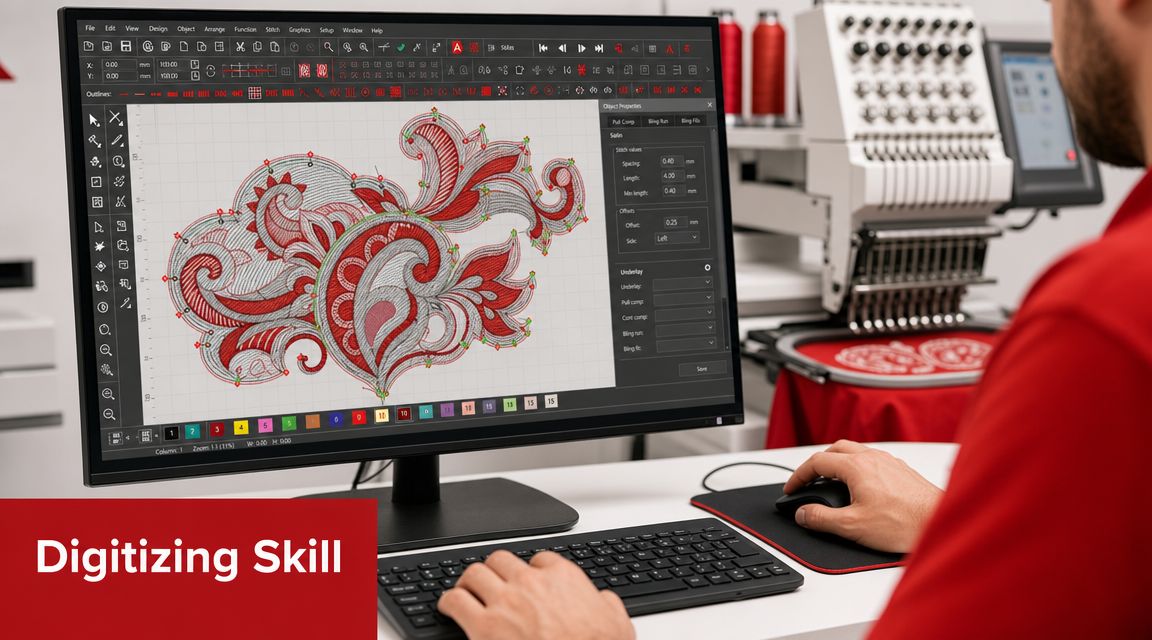
Digitizing is the part people don't budget for
Machine embroidery now accounts for about 60% to 70% of the total embroidery market, largely because digitizing makes logo production consistent and repeatable. The same market summary says simple hat or chest logos can typically be digitized within 1 to 2 business days, and notes that North America dominated the computerized embroidery machine market in 2024 as automation and customized production expanded (digitizing and computerized embroidery market facts).
That's the upside. The downside is simple. Good digitizing is a skill, not a button.
Your two options are both real costs
You either learn the software yourself or you pay someone every time a new design comes in.
If you learn it yourself, expect a learning curve. You'll spend time correcting underlay, stitch direction, compensation, sequencing, trims, and small lettering problems. If you outsource digitizing, you remove some stress, but you add lead time and recurring design prep costs to every new logo.
A lot of startup owners also forget the supply side. Once you're testing files in-house, you burn thread, backing, and sample blanks just to get to an approved sew-out. Keeping dependable thread on hand matters, whether you're matching brand colors or just stocking the basics. Even small inventory items like essential quilting thread supplies become part of the workflow once embroidery moves from hobby to production.
If you want a practical breakdown of the prep side, this guide on how to digitize a logo for embroidery lays out what has to happen before the machine can run the design cleanly.
Software mistakes show up on hats fast
Flat garments hide some problems. Caps don't. Small text gets muddy. Satin borders wobble. Fill areas pucker. Center seams distort designs that looked balanced on your screen.
This walkthrough is worth watching before you assume software is the easy part.
A bad file can make a good machine look broken.
That's why software and digitizing belong in the buying decision. They're not accessories. They're core operating costs.
Calculating The Real Cost of Ownership
The machine price is the cleanest number in the whole decision. It's also the least useful by itself.
What matters is the total cost of ownership after the machine lands in your shop. That includes the materials you keep buying, the downtime you absorb, the space you dedicate, and the labor you personally put into making the thing productive.
What the sticker price doesn't include
Start with the obvious recurring items:
- Thread and needles: You'll need color range, backups, and specialty needles for different materials.
- Backing and stabilizer: Different garments and cap structures don't all run on the same setup.
- Hoops, cap frames, and accessories: The base package is often not the whole production package.
- Blanks for testing: Every bad sew-out teaches you something and costs you something.
Then add the less obvious costs.
Maintenance isn't optional. Machines need cleaning, oiling, timing checks, and occasional repair. If the machine goes down, production stops. If you're the operator, the scheduler, and the troubleshooter, every interruption pulls you away from selling, quoting, and customer service.
Labor is usually the biggest hidden expense
Founders love the idea of “doing it ourselves” because it feels efficient. Sometimes it is. Sometimes it's a tax on your time.
If you're spending hours learning cap hooping, editing files, fixing thread breaks, and re-running samples, you're not doing the work that grows the business. That may still be worth it if embroidery is becoming a core capability. It's usually not worth it if your main goal is getting finished logo hats out the door.
A useful reality check is to compare your assumptions against a fuller breakdown of embroidery machine price and ownership considerations. The machine itself is only one line item.
Ask these questions before you buy
| Question | Why it matters |
|---|---|
| Who will run the machine every day? | “We all will” usually means nobody owns the process |
| What product will you make most often? | Hats, polos, and patches create different headaches |
| How many new logos will need setup? | New art creates prep work before production begins |
| What happens when the machine is down? | Backup plans matter if orders have deadlines |
Shop-owner advice: If your profit depends on a machine, your workflow can't depend on guessing.
That's the standard to use. Not excitement. Not the box price. Workflow.
When to Buy vs When to Outsource Your Embroidery
Most businesses don't need a machine first. They need a clean decision.
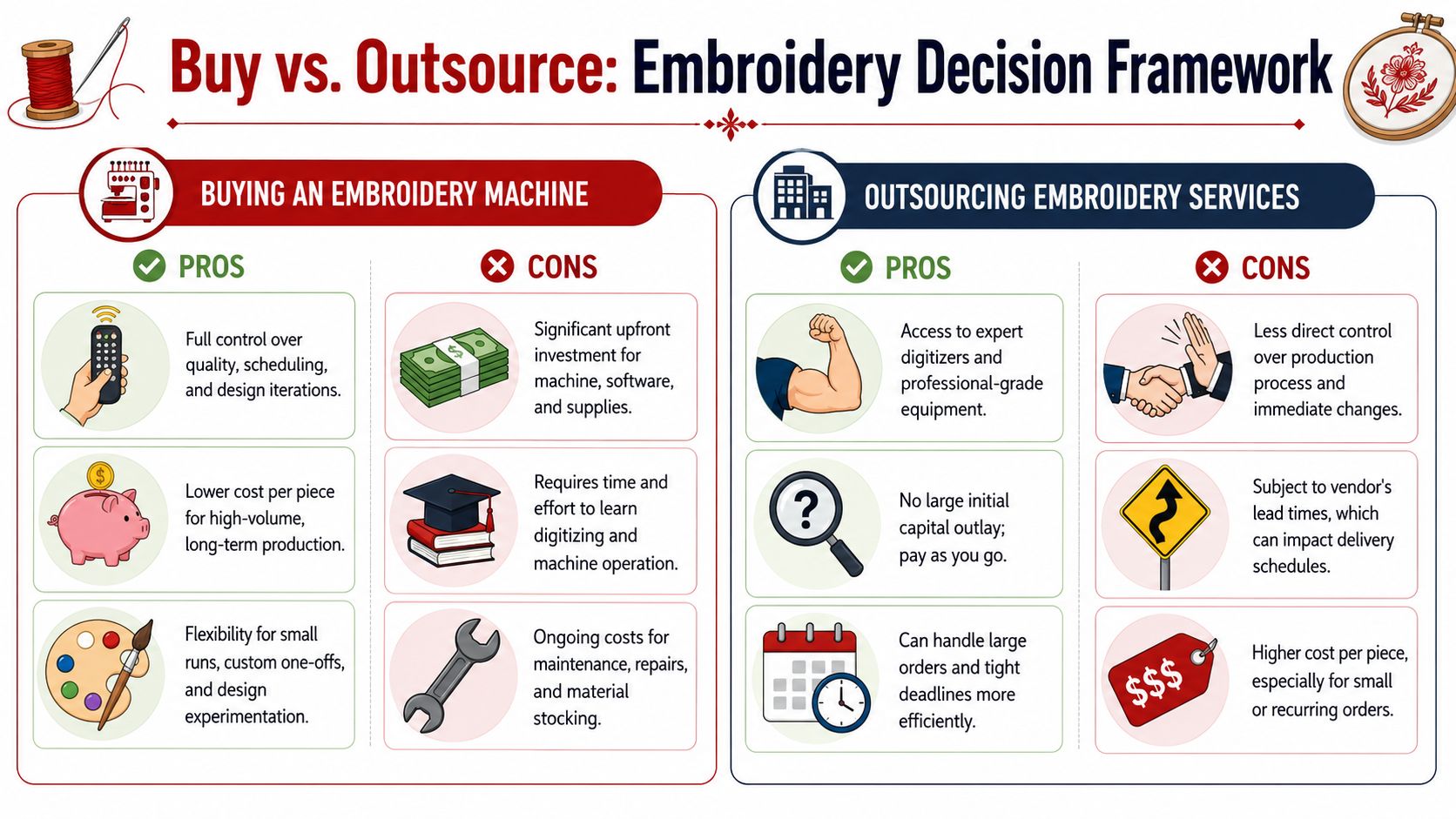
Buying makes sense when embroidery is becoming part of your operation in a lasting way. Outsourcing makes sense when you need dependable finished product without turning your office or shop into a small production floor.
Buy when the work justifies the headaches
You should lean toward buying an embroidery machine for logos if most of these are true:
- Embroidery is recurring work: You're not testing one merch drop. You're fulfilling repeat logo orders.
- You have an operator: Someone will learn the machine, not just “help when needed.”
- You need production control: Sampling, scheduling, and revisions matter enough that in-house control has real value.
- Your product mix fits the setup: You know whether you're primarily doing hats, left chest logos, or another repeatable category.
Owning the machine gives you control, but it also hands you every problem attached to that control.
Outsource when you need results more than infrastructure
You should outsource if these sound more like your situation:
- You need professional quality now
- Your order sizes are inconsistent
- You don't want to learn digitizing and machine maintenance
- You'd rather pay per decorated item than build an internal process
That path is often stronger for startups, agencies, event organizers, and growing brands that need clean execution without adding another operational discipline.
If you want a broader side-by-side breakdown, this comparison of in-house embroidery vs outsourced production is a useful gut check.
The straightforward framework
Here's how I'd simplify it.
| Your situation | Smarter move |
|---|---|
| You're still testing demand for branded hats | Outsource |
| You need a few samples and short custom runs | Small machine or outsource |
| You have steady repeat logo work and one person can own production | Buy a single-head commercial machine |
| You regularly repeat larger runs of the same logo | Consider multi-head |
| You mainly want finished headwear without the learning curve | Outsource |
There's no shame in outsourcing. In a lot of cases, it's the more disciplined business decision.
One practical option is Dirt Cheap Headwear, which offers in-house headwear embroidery with low minimums and custom logo decoration for businesses, brands, and events. That kind of setup fits buyers who want branded hats without taking on digitizing, machine upkeep, and cap-production troubleshooting themselves.
If you're trying to decide whether to invest in equipment or just get hats done right, Dirt Cheap Headwear is a practical place to start. You can source blank hats, submit a custom logo order, and keep production outsourced until your volume and workflow justify buying a machine.
Pingback: Best Embroidery Thread for Hats and Apparel in 2026 | Dirt Cheap Headwear